A terminal UI for managing GitHub Gists — browse, diff, sync, and pin your gists and pair them with files in your working directory, all through the GitHub CLI.

install.sh
$ curl -fsSL https://raw.githubusercontent.com/akunzai/gistui/main/install.sh | bash

Detects your platform, verifies its SHA-256 checksum, and installs to ~/.local/bin — Linux, macOS & Windows (Git Bash).
More paths (Homebrew, Scoop, PowerShell, crates.io, source, gistui --upgrade): reference/INSTALL.md

gistui demo: browsing, pinning, diffing with syntax highlighting, uploading and downloading gists
Pair a local file with a gist, preview and diff with word-level & syntax highlighting, then upload, download, or sync.

Why gistui?

A real workflow around your Gists — not just another API wrapper.

vs. gh gist

The official CLI is non-interactive and text-only. gistui adds a full TUI: visual word-level diffs, anchor-driven ranking of gists against your working directory, and one-key pinned sync.

vs. the web UI

Never leave the terminal. Work directly against your local files and pair gists with the directory you launched from — no browser tabs, no copy-paste round trips.

Safe & private

An existing file is never overwritten without a diff and a y/n confirm, and no GitHub token is ever stored — authentication is delegated to gh.

What it does

Everything runs through your authenticated gh session — no GitHub token is ever stored by the app.

Browse & rank

Local files and gists side by side, with smart match-ranking that floats the right gist to the top — and a pinned pair stays on top.

Diff with highlighting

Unified diffs with word-level inline changes and syntax-highlighted context. Direction follows the focused pane — upload or download view.

Safe by default

An existing file is never overwritten without first showing its diff and a y/n confirmation. No surprises.

Pin & sync

Pin local ↔ gist pairs, see sync status at a glance (synced / local-newer / remote-newer), and smart-sync where the newer side wins.

Gist manager & detail

Browse all gists or filter starred and forked (v), star with *, open gist detail for files and comments. Edit, compact, or delete owned gists from detail; fork others' gists with F.

Preview & clipboard

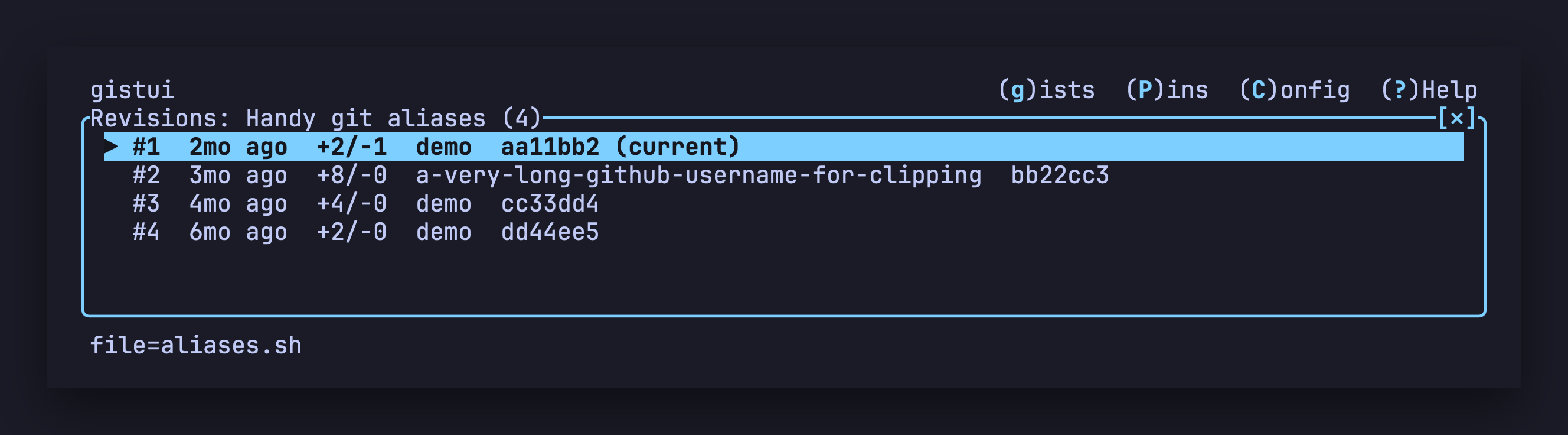
Scrollable, syntax-highlighted preview; revision history with incremental diffs. Copy a gist URL or file content to the clipboard. Press ? in the TUI for the full keymap.

Manage gists as a whole

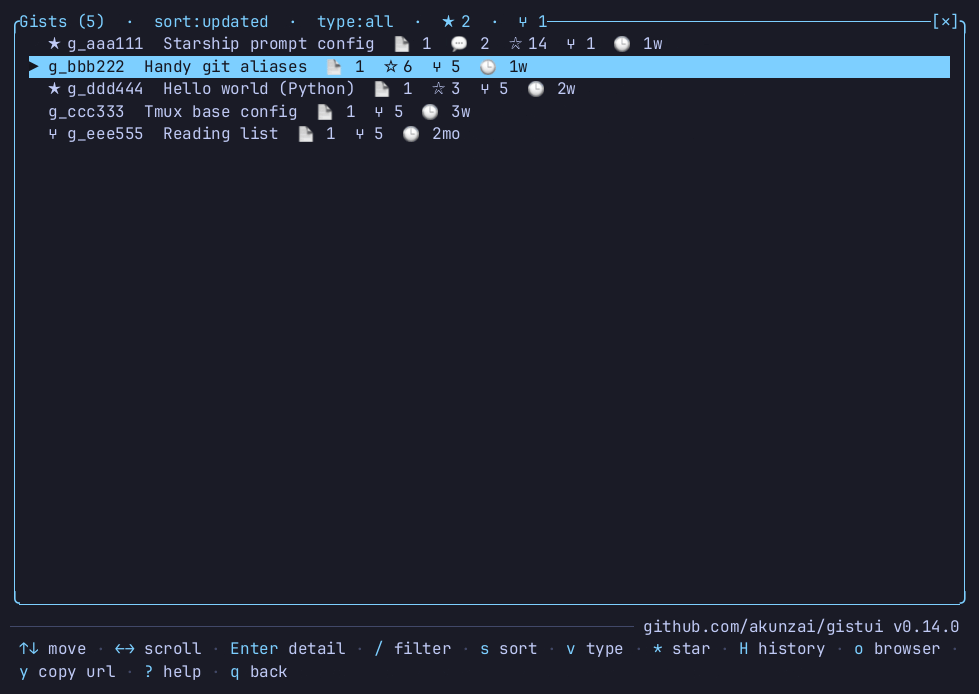
Press g for the gist manager — one row per gist with stargazer and fork counts, filter with v, then Enter for gist detail.

gistui gist manager: a list of gists with descriptions, file counts and relative ages

Requirements

gistui shells out to gh at runtime, so it must be installed and authenticated wherever you run it.

GitHub CLI

Install gh and run gh auth login once.

A terminal

Any modern terminal with a monospace font; emoji glyphs make the status icons nicer.

Optional: clipboard

pbcopy, wl-copy, xclip/xsel, or clip for copy support.