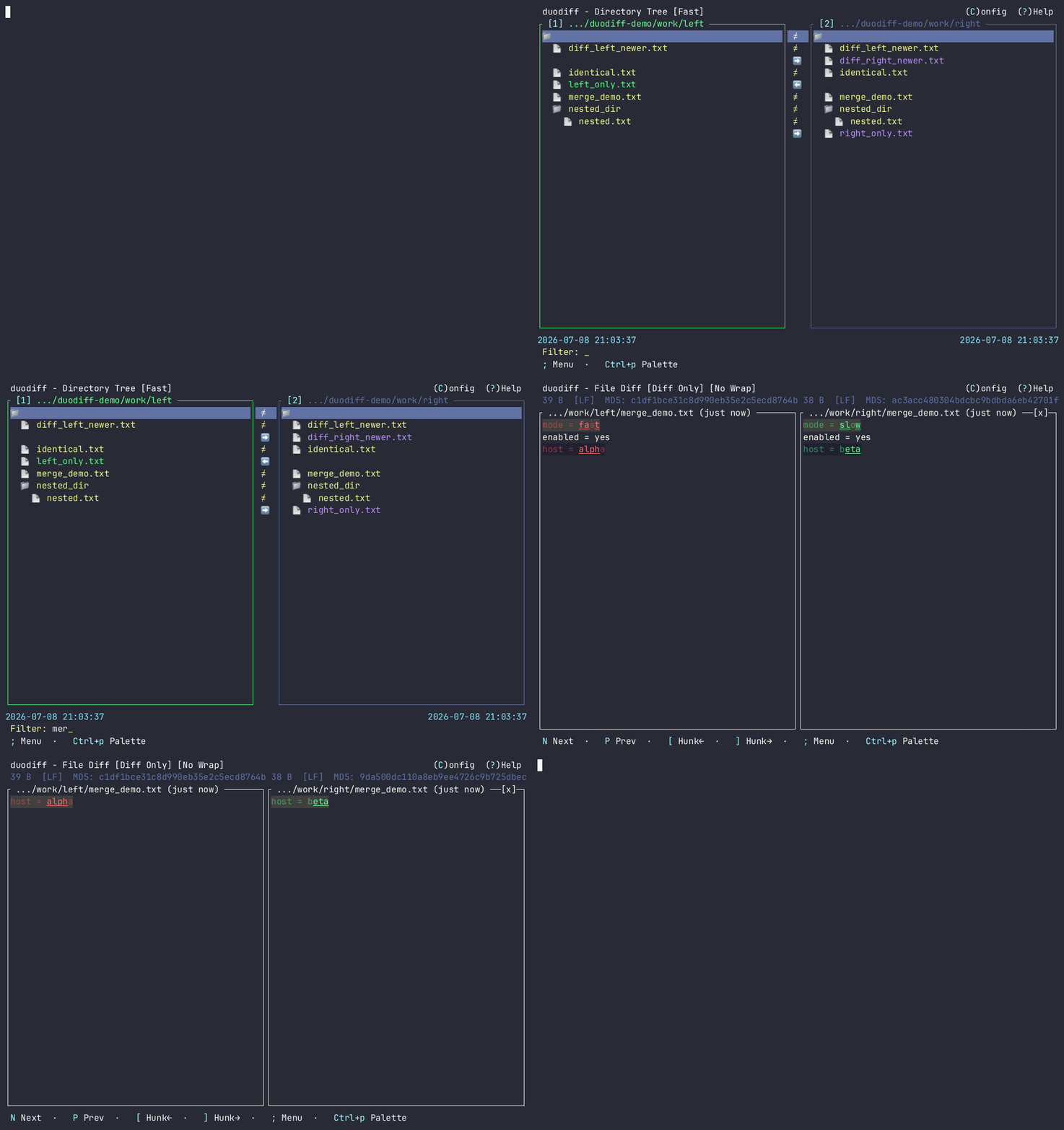
Compare and synchronize two directory trees in the terminal.
duodiff aligns both trees side by side, marks every pair as identical, differing, unverified, or present on one side only, and lets you resolve the difference in place — open a file diff, merge a change block, or copy an entry across.
curl -fsSL https://raw.githubusercontent.com/akunzai/duodiff/main/install.sh | bash
duodiff <left-dir> <right-dir>
The installer detects your platform, verifies the SHA-256 checksum, and installs
to ~/.local/bin on Linux, macOS, and Windows (Git Bash). Homebrew, Scoop,
PowerShell, crates.io, cargo binstall, and building from source are in the install guide.
The narrow column between the panes carries one mark per aligned pair. It says what the active scan established — and, just as importantly, what it did not.
| ▾ src/ | ≠ | ▾ src/ | something below differs |
| theme.rs | = | theme.rs | no difference found |
| ui.rs | ≈ | ui.rs | unverified — the bytes were never compared |
| main.rs | ≠ | main.rs | a difference the scan established |
| notes.md | < | — | present on the left only |
| — | > | README.md | present on the right only |
| ▸ build/ | ! | build | one side is a file, the other a directory |
≈ is the honest answer when nothing read the bytes: in Fast mode the sizes match but the timestamps differ; in Precise mode a side could not be read or hashed. Switching to Precise mode with c resolves it.
Keys are listed in full in the shortcuts reference.
Fast compares size and modification time; Precise compares a streaming SHA-256 of the
contents. c switches and persists the choice; --scan-mode
overrides it for one session.
Alignment and checksums run off the render thread, with a live item count while a large tree is walked. Navigation stays responsive throughout.
A side-by-side diff with intraline highlighting and next/previous jumps (N/P). Stage a change block to either side with [ and ], undo with u, then write every staged side with s.
L and R copy a file or a whole directory between panes. Every copy previews both paths and asks first, then re-scans. A directory copy follows the scan's own entry list, so excluded paths stay out of it.
D hands the pair to vim, nvim, code,
meld, bcomp, smerge, ksdiff, or
difft; E opens the file in $VISUAL or
$EDITOR. duodiff leaves the terminal cleanly and restores it on return.
/ filters the whole scanned tree, flat, with breadcrumbs;
Ctrl+f narrows it to differences. Each root's nested
.gitignore and .duodiffignore are read by default, after a
global exclusion list you can edit in place.
hjkl or the arrow keys, Ctrl+f and
Ctrl+b to page, 1/2 to focus a pane. The wheel
scrolls both panes together; a double-click opens a diff or expands a directory.
;, Ctrl+p, or a right-click open the same searchable surface on every screen. A command that cannot run right now stays listed, carrying the reason it cannot.
A flat Config screen (C) detects installed diff tools and saves each change
immediately to ~/.config/duodiff/config.toml. T toggles the light
and dark theme from anywhere. Topic-based help is on ?.
A single static binary with no runtime dependencies, on macOS, Linux, and Windows.
Standalone installs update in place with duodiff --upgrade, and an
optional daily background check reports a newer release.